Key takeaways
- Use AI to draft, tailor, and practice faster, never to invent experience. Every line on your resume must be true and defensible in an interview.
- One general assistant, such as ChatGPT, Claude, or Gemini, covers most writing tasks. Add specialist tools only for specific gaps like ATS keyword matching or interview feedback.
- Edit AI output into your own voice and check every fact. Generic AI phrasing is now easy for recruiters to spot.
- Remove personal data such as phone numbers, NID or passport numbers, and salary details before pasting documents into an AI tool, and review its data settings.
- Free plans and features change often, so check each tool's current terms before relying on it.
Resume tailoring and ATS checks
Start with a general assistant and a precise prompt: "Here is a job description and my resume. List the top eight requirements, show where my resume already proves each one, and mark the ones I don't cover. Do not add any experience I don't have." The last sentence matters, because AI tools will happily fill gaps with plausible-sounding achievements.
Then check the result with a specialist tool. Jobscan and Teal compare your resume against a job description and show missing keywords, Resume Worded scores it line by line, and builders such as Rezi, Kickresume, and Enhancv produce ATS-friendly layouts with AI writing help. Our free ATS resume checker and resume bullet point generator cover the same two steps.
LinkedIn profile and content
General assistants are good at producing ten headline options or tightening an About section, and our LinkedIn headline generator does the headline part in one step. For regular posting, Taplio helps with drafting, scheduling, and analytics, while AuthoredUp adds formatting, previews, and performance tracking. Avoid any tool that automates likes, comments, or connection requests, since LinkedIn's terms prohibit bots and automated activity.
Interview practice
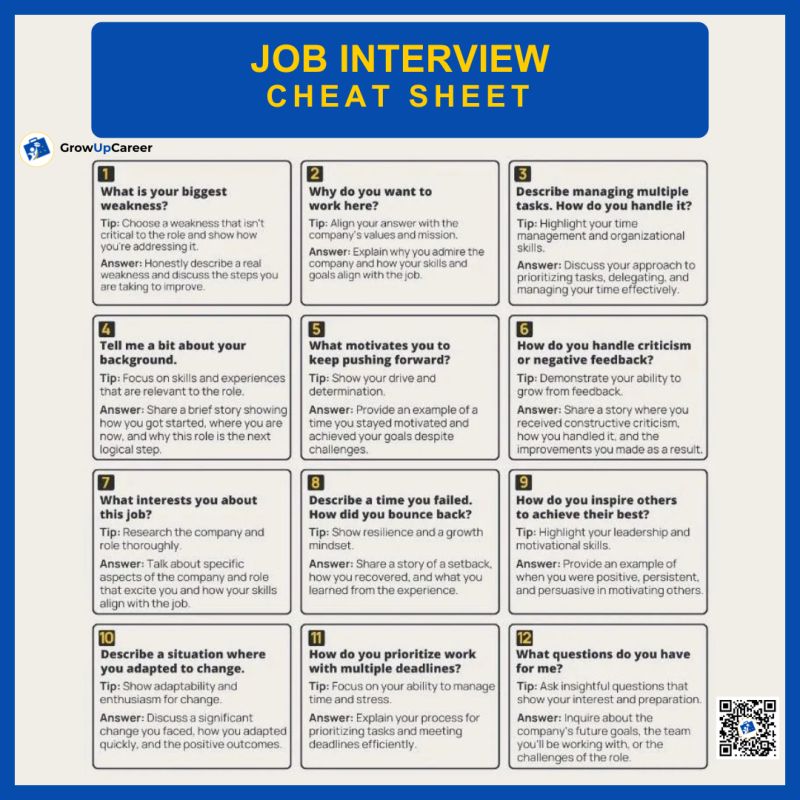
The voice modes in ChatGPT and Gemini work well for mock interviews. Paste the job description, ask the assistant to interview you one question at a time, and request feedback after each answer. Yoodli gives feedback on pacing, filler words, and delivery, and Big Interview combines video lessons with a mock interview simulator. Never use real-time "interview copilot" tools during a live interview. Many employers treat it as misconduct, and it falls apart at the first follow-up question.
Job tracking and organization
Huntr and Teal let you save listings with a browser extension and move them through stages. Simplify autofills application forms and tracks what you have sent, but review every auto-filled field before submitting. If you prefer your own system, a Notion database with columns for company, role, status, contact, and next step works well. Be wary of auto-apply services that send hundreds of untailored applications in your name.
Writing, grammar, and research
Grammarly, now part of the Superhuman suite, checks grammar, clarity, and tone across your browser and apps, and QuillBot helps simplify clumsy sentences. For company research before an interview, Perplexity answers with cited sources you can check, and NotebookLM lets you upload an annual report or job pack and get answers drawn only from those documents.
Learning new skills
General assistants make patient tutors: ask for an explanation at your level, then a short quiz. For structured learning, see our list of free AI courses with certificates.
A 30-minute AI workflow for one application
- Paste the job description into your assistant and ask for the top requirements in order of importance.
- Compare them with your master resume and note which ones you can prove.
- Rewrite three to five bullets yourself, using AI only to tighten the wording.
- Run the tailored file through an ATS checker and fix missing must-have keywords.
- Draft a short cover letter with AI, then rewrite the opening and the proof paragraph in your own words.
- Ask for ten likely interview questions for the role and practice the three hardest out loud.
Rules for using AI responsibly
- Never fabricate experience, numbers, degrees, or skills. If AI suggests an achievement you didn't have, delete it.
- Verify every fact, number, and company detail, because AI tools state wrong information confidently.
- Strip phone numbers, addresses, ID numbers, and salary details, and turn off training on your conversations where the tool allows it.
- Keep your own voice. Cut any phrase you would never say out loud.
- Follow employer rules. If an application or assessment says no AI, respect it.
Links in this resource
- ChatGPTOpenAI's general assistant for drafting, tailoring, and voice-based mock interviews.chatgpt.com
- ClaudeAnthropic's assistant for writing, editing, and analyzing long documents such as job descriptions and resumes.claude.ai
- GeminiGoogle's assistant, with voice conversations and integration with Google apps for Workspace users.gemini.google.com
- PerplexityAI search engine that answers with cited sources, useful for researching companies before interviews.perplexity.ai
- NotebookLMGoogle's research notebook that answers questions only from the documents you upload.notebooklm.google.com
- JobscanCompares your resume with a job description and flags missing keywords and ATS formatting issues.jobscan.co
- TealResume builder with keyword matching, plus a job tracker that saves listings through a Chrome extension.tealhq.com
- Resume WordedScores your resume and LinkedIn profile with line-by-line feedback.resumeworded.com
- ReziATS-focused resume builder with AI writing and keyword targeting.rezi.ai
- KickresumeResume and cover letter builder with an AI writer and ready-made templates.kickresume.com
- EnhancvResume builder with content suggestions and a resume checker.enhancv.com
- TaplioLinkedIn tool for drafting posts, scheduling them, and tracking analytics.taplio.com
- AuthoredUpLinkedIn post editor with formatting, previews, drafts, and post analytics.authoredup.com
- YoodliAI roleplay and speech coaching that gives feedback on delivery during practice conversations.yoodli.ai
- Big InterviewInterview training with video lessons, a mock interview simulator, and AI feedback.biginterview.com
- HuntrJob tracker with a browser extension, AI resume tailoring, and contact tracking.huntr.co
- SimplifyBrowser extension that autofills job applications and tracks them in one place.simplify.jobs
- NotionFlexible workspace for building your own job tracker, notes, and interview story bank.notion.com
- GrammarlyGrammar, clarity, and tone suggestions across browsers and apps, now part of Superhuman.grammarly.com
- QuillBotParaphrasing and grammar tools for simplifying your own sentences.quillbot.com
Links open the official site. Some partner links may earn us a commission at no cost to you — see our disclosure.
FAQ
Can recruiters tell if a resume was written with AI?
Often they can, from generic phrasing and achievements that all sound alike. The bigger risk is unverifiable claims that fall apart in the interview, so edit heavily and keep everything true.
Are free AI tools enough for a job search?
For most people, yes. A free general assistant plus a free ATS checker covers tailoring and review, and paid plans mainly add volume and convenience.
Is it safe to upload my resume to an AI tool?
It is safer once you remove phone numbers, addresses, and ID numbers. Check the tool's privacy and data-training settings, and never upload other people's personal information.
Should I use auto-apply tools?
Use them carefully, if at all. Mass-applying with an untailored resume lowers your response rate and can send applications you would never have chosen.